Focus Mode
Watch deeply without losing your research context
Focus Mode keeps the video at the center while your source list, notes, and AI summaries stay one click away. Review a saved video, switch sources, and capture what matters without leaving the workspace.
Workflow
One workspace, three levels of context
Start distraction-free, bring in your saved source list when you need to move around, and open notes or summaries when it is time to turn watching into research.
Watch
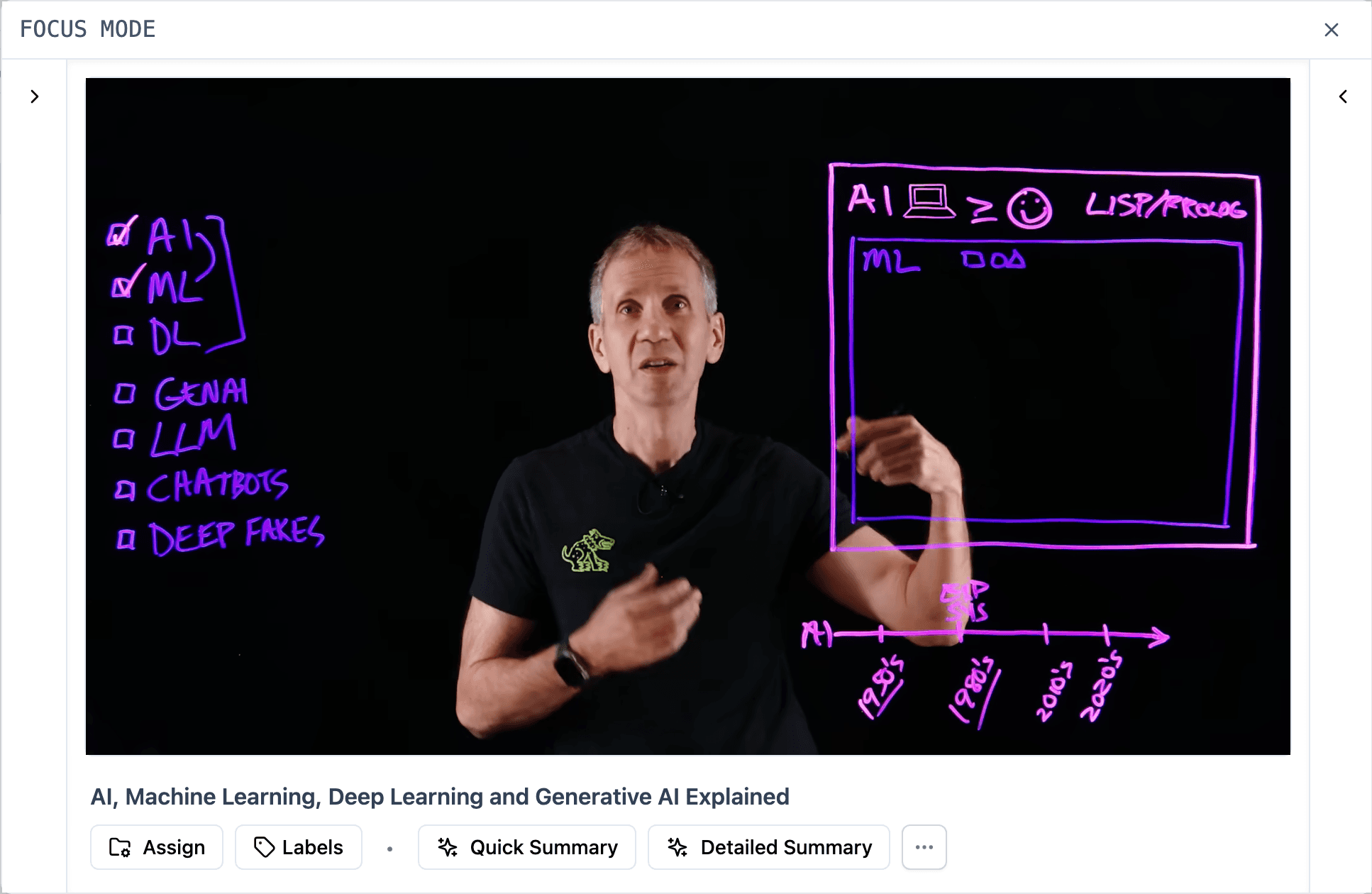
Watch with the player in focus
Collapse the side panels when you want a cleaner viewing surface, then bring context back when the source needs notes, summaries, or navigation.
Video first
Keep the video clear until you need context
Focus Mode gives the player room first, then lets you open source navigation, notes, or AI summaries only when they help the work.
- Large embedded video surface
- Side panels can stay collapsed while you watch
- Navigation, notes, and summaries are one click away
Source navigation
Switch sources without leaving focus
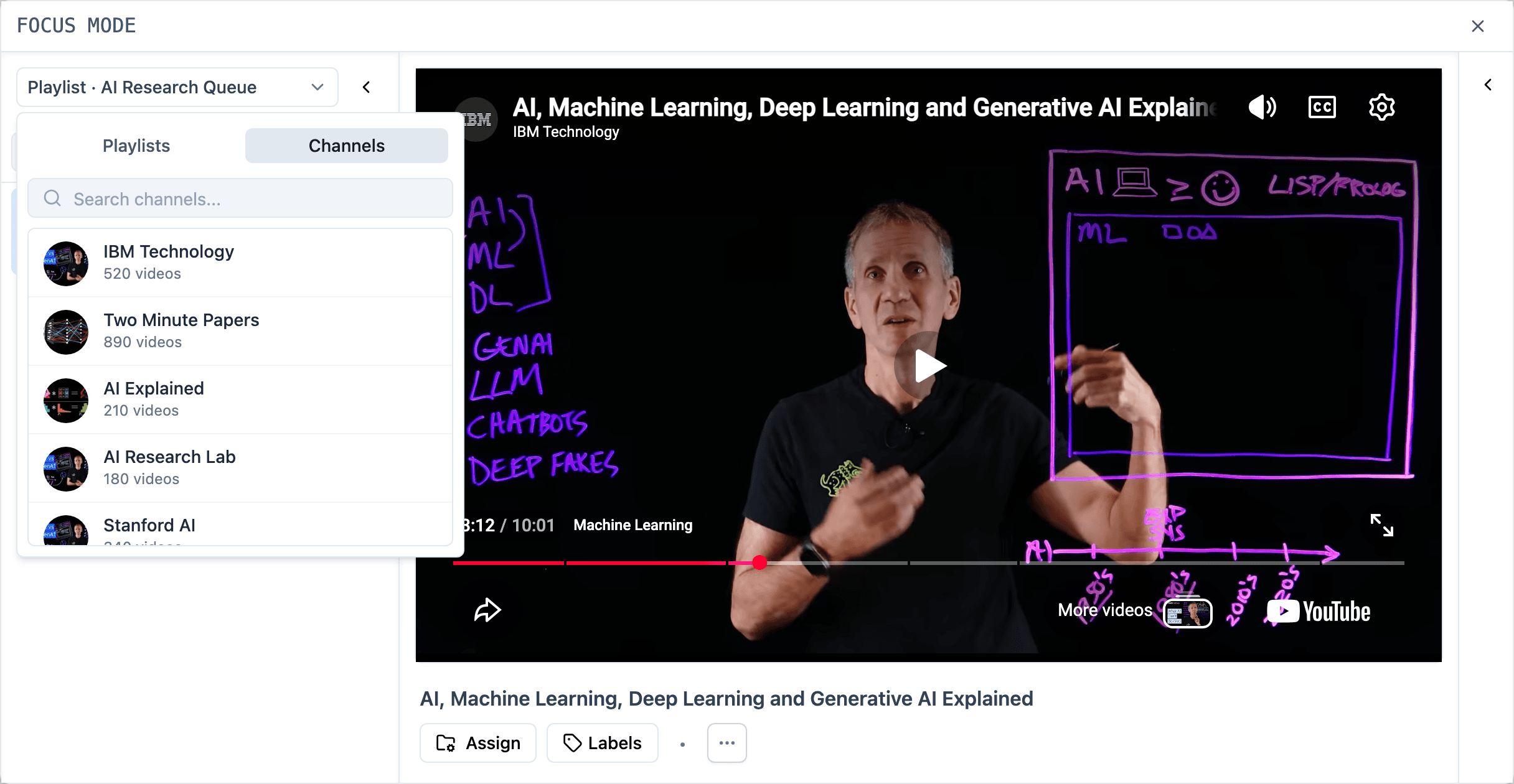
Open the source selector when you need to move between playlist and channel sources, compare saved videos, or continue through a research thread without leaving the workspace.
- Switch between playlist and channel source tracks
- Search and move between saved videos
- Keep the current video and surrounding context in one place
Notes and summaries
Turn watching into usable notes
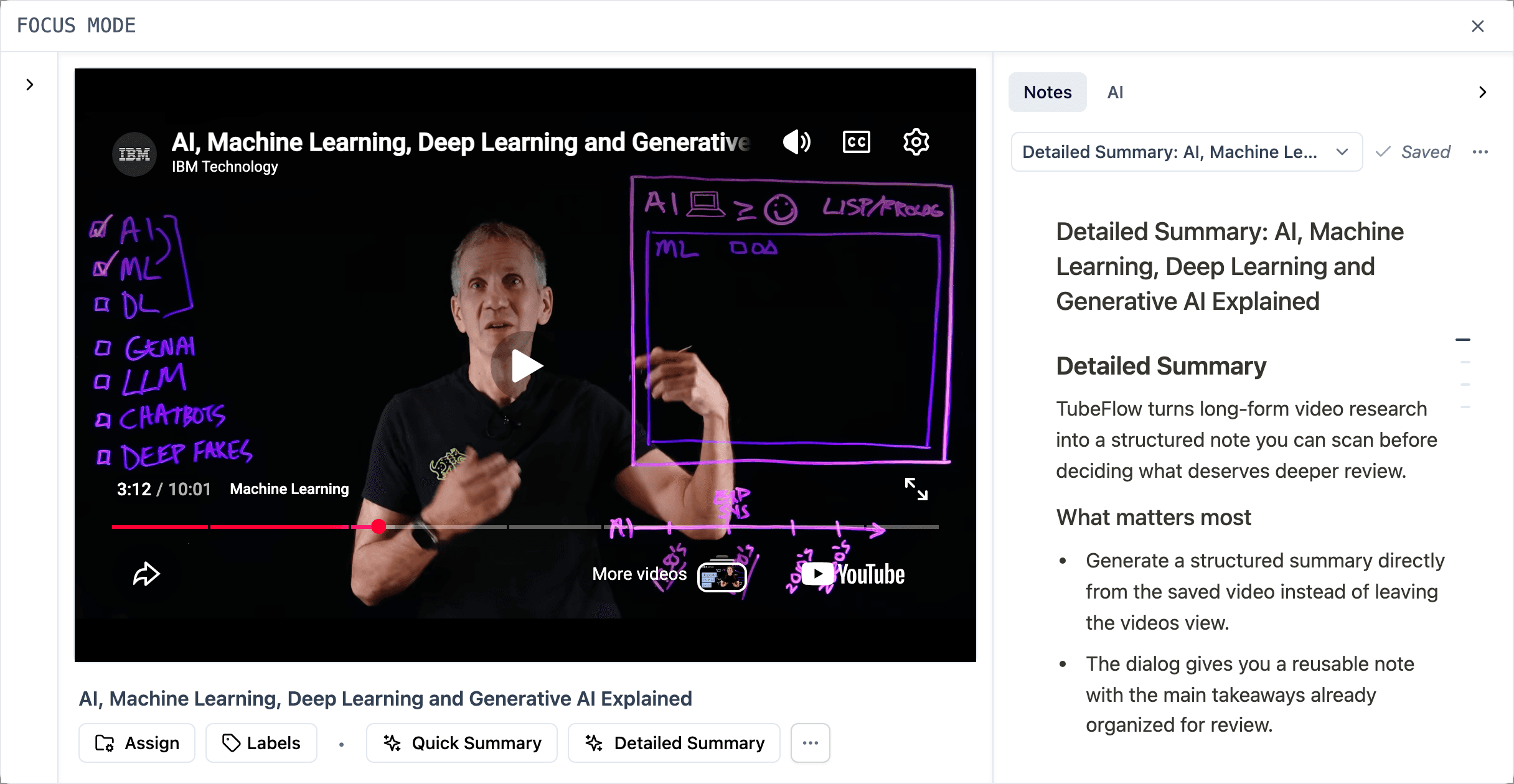
When a video has useful signal, open the right panel to work with notes or AI summaries beside the source. The context stays attached to the video instead of drifting into a separate document.
- Open notes beside the video
- Use AI summaries when you need the main points faster
- Keep source context visible while synthesizing
Outcome
Less tab switching. More source thinking.
Without Focus Mode
- Video in one tab
- Notes somewhere else
- Playlist context buried
- Summaries detached from the source
With Focus Mode
- Video stays centered
- Source rail opens when needed
- Notes and summaries stay beside the video
- Research context remains connected
FAQ
Focus Mode questions
Practical details about watching, navigating, and synthesizing saved videos in Focus Mode.
- Focus Mode is a focused workspace for reviewing saved YouTube videos with optional source navigation, notes, and AI summaries nearby.
- Yes. You can open the source rail to move through saved videos without leaving the focused workspace.
- Yes. Focus Mode includes a source selector with playlists and channels, so you can switch the active source track and continue reviewing videos in the same focused workspace.
- Yes. When notes are enabled, you can work with notes beside the video so your thinking stays connected to the source.
- No. AI summaries are an assistive action you can use when you want help extracting the main points from a video.
Stay focused
Stay with the source until the insight is clear
Use Focus Mode to watch, navigate, and synthesize saved videos without scattering your research across tabs.