Bulk Actions
Clean up your library in batches
TubeFlow helps you select multiple videos, playlists, channels, or groups and manage them in batches, so routine cleanup takes fewer clicks as your research library grows.
Library cleanup
Bulk actions across your research library
The same idea applies across saved resources: select the items that need attention, then choose the supported action for that view.
Bulk video actions
Clean up saved videos in batches
When a saved-video list grows too quickly, select the videos that need the same update and handle them together instead of opening each row.
- Assign selected videos to a collection
- Remove outdated or irrelevant videos where supported
- Reduce repeated cleanup clicks in long saved-video lists

Bulk playlist actions
Manage playlist sets without row-by-row sorting
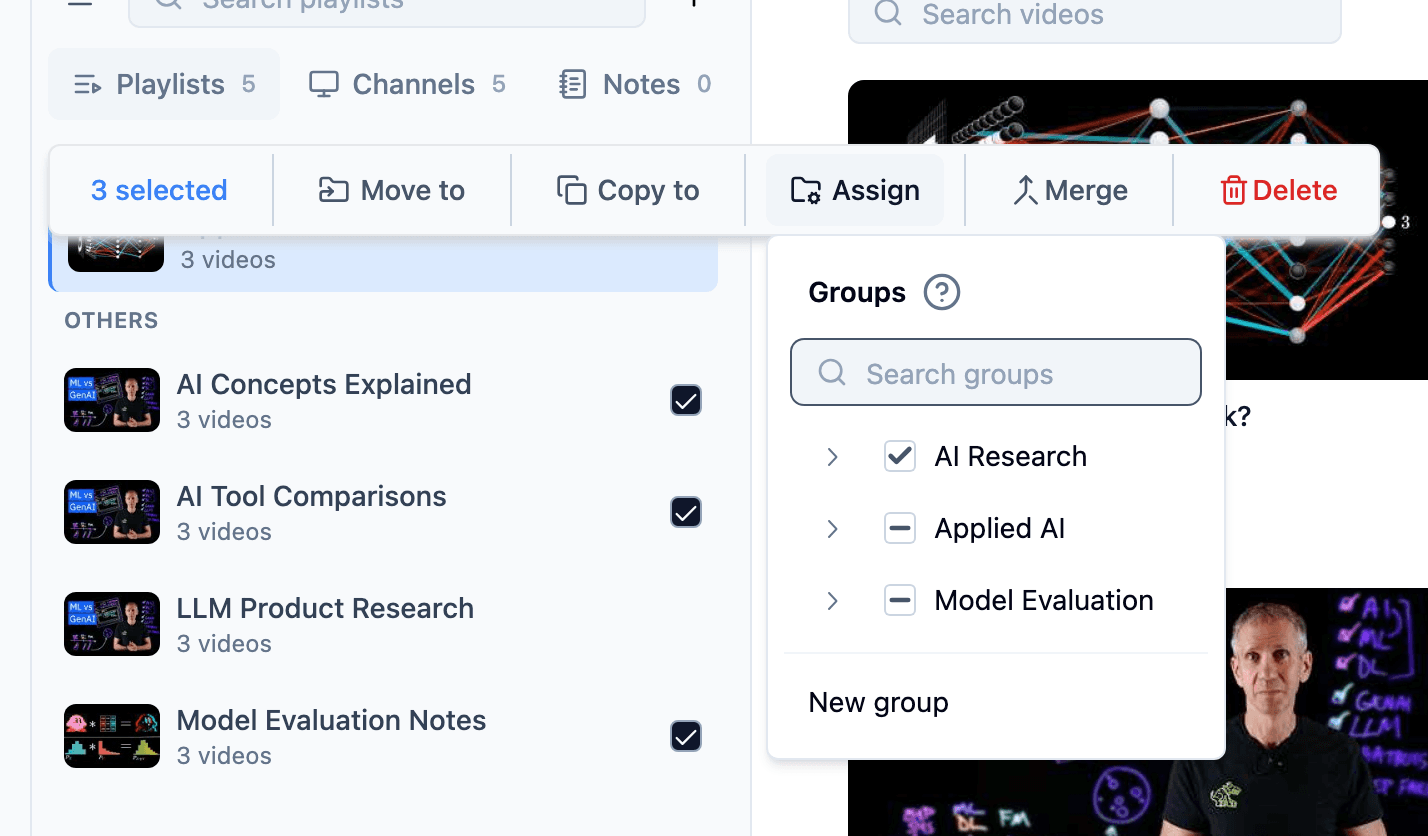
Select several playlists when a research area shifts and apply the supported action once, whether you are assigning, moving, copying, deleting, or merging where available.
- Assign selected playlists to groups
- Move or copy playlists where supported
- Merge or delete selected playlists when cleanup is needed
Bulk channel actions
Update saved channels as source lists change
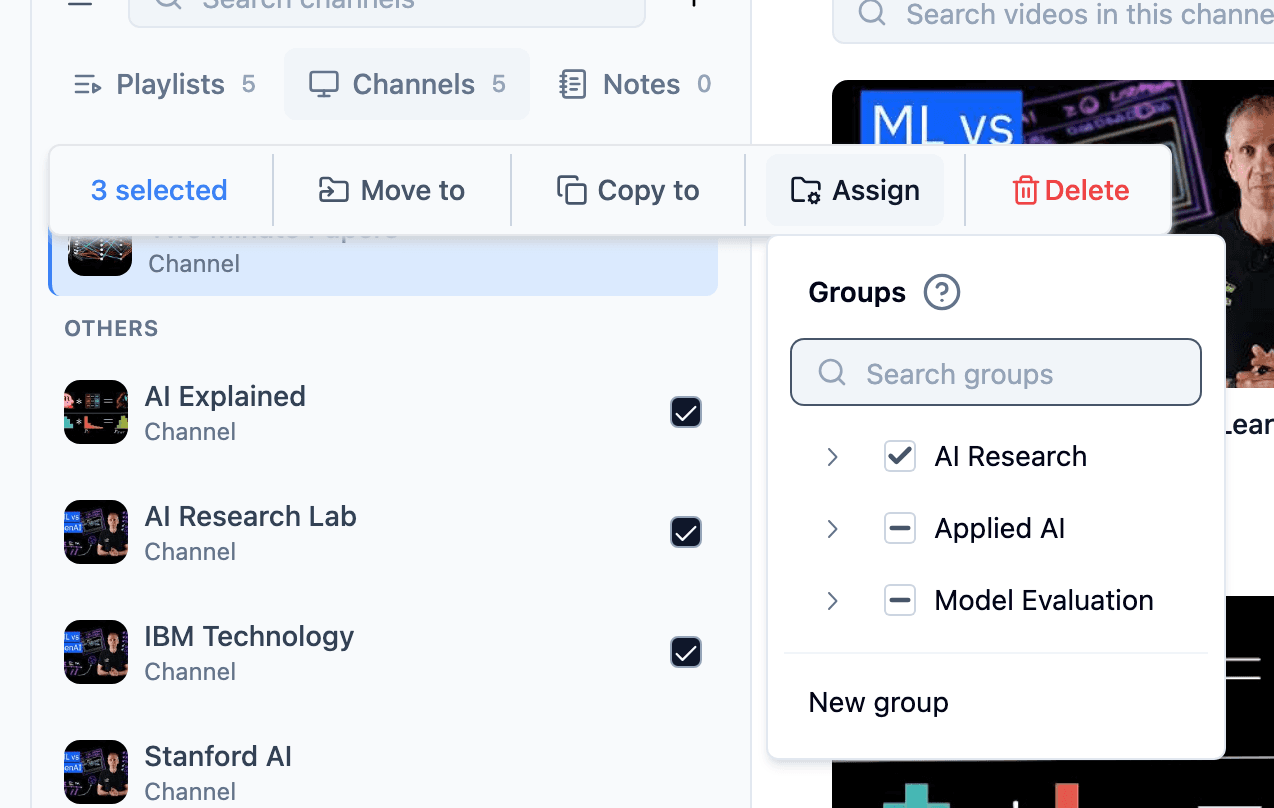
Saved channels often need the same maintenance as playlists. Bulk Actions helps you select multiple channels and apply the supported group or cleanup action together.
- Assign selected channels to relevant groups
- Move or copy channels where supported
- Remove stale channel sources in fewer steps
Bulk group actions
Keep research groups tidy as projects evolve
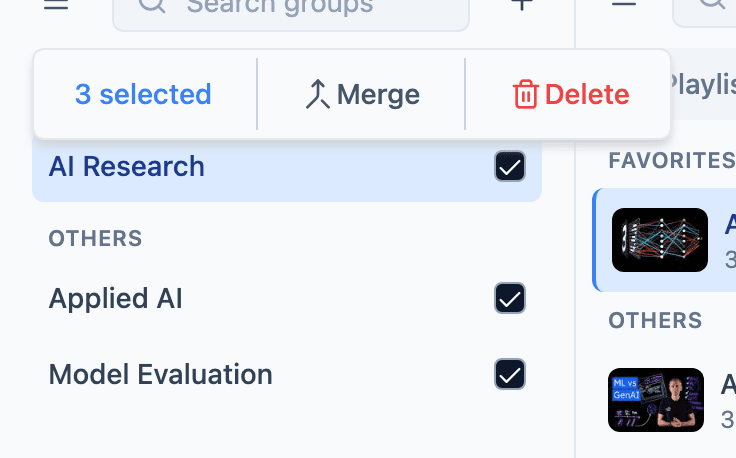
Groups are the containers that keep research retrievable. When several groups need the same maintenance, select them and use the supported batch action from the toolbar.
- Select multiple groups from the groups list
- Merge related groups where supported
- Delete outdated group containers when cleanup is needed
- Keep project spaces easier to revisit later
Supported actions
The repetitive work becomes one action
Exact actions depend on what you select, but the workflow stays simple: select a batch, then apply the action TubeFlow makes available for that resource type.
Assign
Attach selected resources to the right collection faster.
Move
Shift selected items when a research project changes direction.
Copy
Reuse selected sources across collections where supported.
Delete
Remove several irrelevant or outdated items together.
Merge
Combine selected collections where merging is supported.
Outcome
Clean up the backlog and keep research usable
Bulk Actions helps keep library maintenance from becoming its own project. Videos, playlists, channels, and groups stay easier to revisit because routine cleanup takes fewer clicks.
FAQ
Bulk Actions questions
A few practical details about how batch management fits into TubeFlow.
- You can use supported batch actions such as assign, move, copy, delete, and merge depending on the resource type and view.
- Yes. Bulk Actions is positioned across TubeFlow's saved research library, while exact actions vary by resource type.
- No. Some actions are resource-specific, so TubeFlow shows the actions that make sense for the selected items.
- No. Bulk Actions is about faster manual batch management. AI organization workflows are separate from this page.
Start cleaning up
Clean up your research library faster
Spend less time repeating the same cleanup step and more time working with the sources that matter.