Research Groups
Keep every research topic in one place
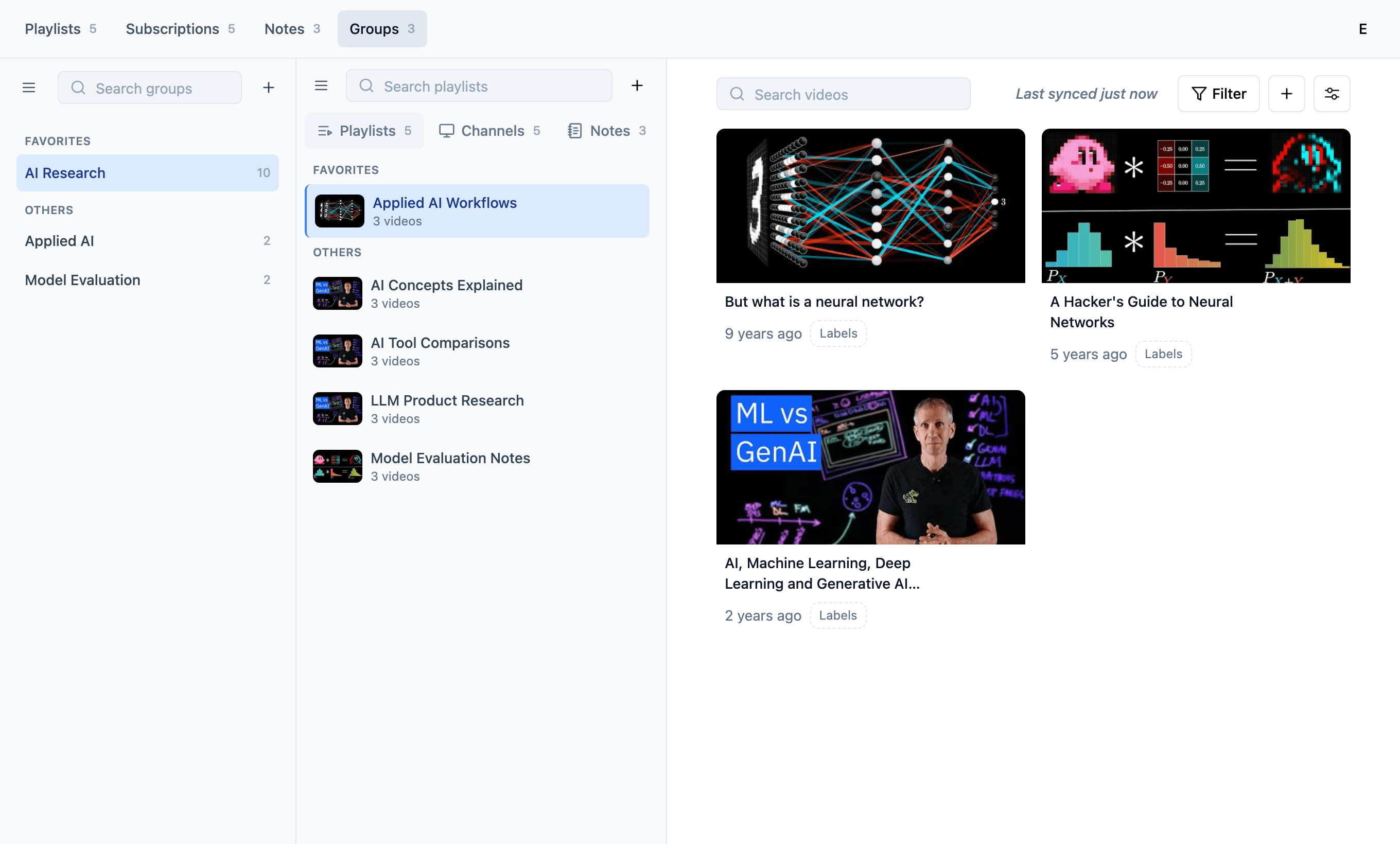
Research Groups let you collect related playlists, channels, and notes into focused folders, so the sources behind a project stay close together and easy to retrieve later.
Why groups matter
Research gets messy when sources live apart
A useful topic usually spans saved playlists, trusted channels, and notes. Research Groups keep those pieces together before the trail gets hard to follow.
Playlists stay attached to the topic
Curated video collections remain connected to the project, course, or question they support.
Channels stay close to recurring research
Trusted sources can live with the group instead of getting lost in a general channel list.
Notes keep the trail readable
Observations and follow-ups stay near the sources that made them useful in the first place.
Topic folders
One group for the sources behind a topic
Use Research Groups when a project needs more than a single playlist. Bring the source collections, recurring channels, and notes into one place that is easier to revisit.
Grouped playlists
Collect the playlists behind a research topic
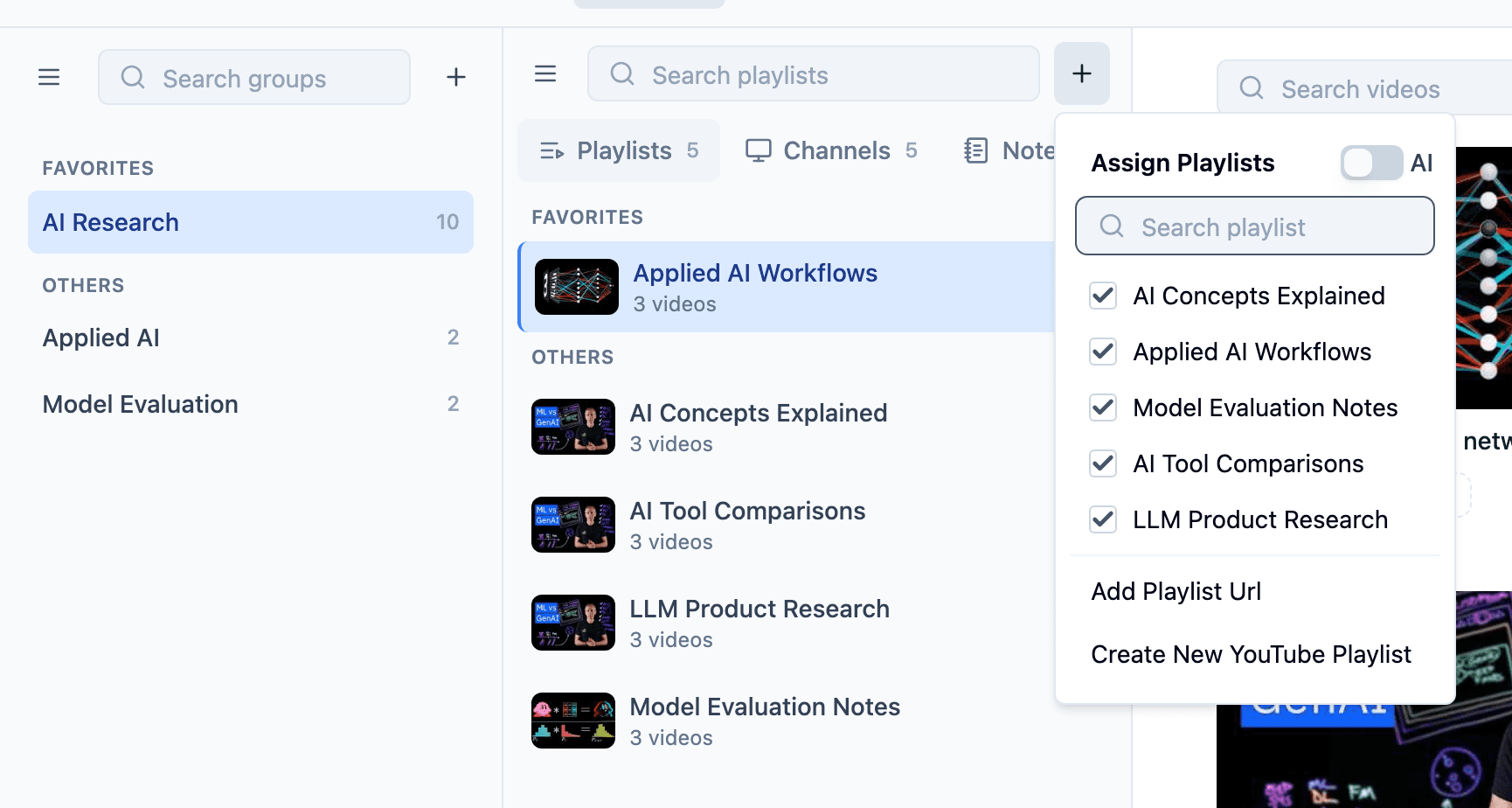
A group gives related playlists a shared home, so a useful collection does not drift away from the project it belongs to.
- Group learning playlists, explainers, and reference collections
- Keep source collections beside the topic they support
- Return to the same research thread without rebuilding context
Grouped channels
Keep trusted channels near the project
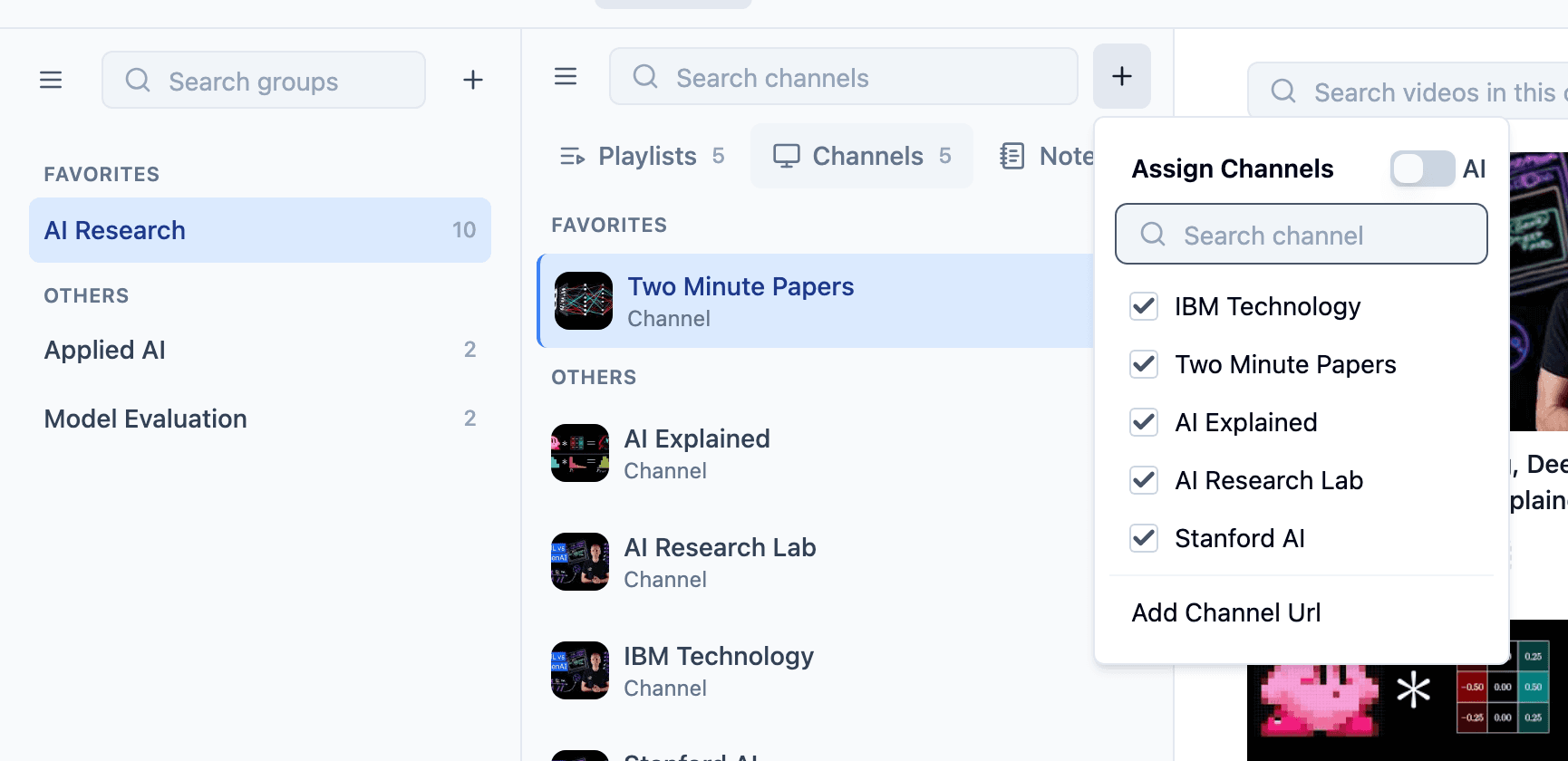
Some channels become recurring sources for a topic. Research Groups make those channels easier to revisit with the playlists and notes around them.
- Collect recurring channels for a research area
- Separate useful sources from unrelated subscriptions
- Keep ongoing source discovery tied to the right group
Connected notes
Write notes that still have their source context
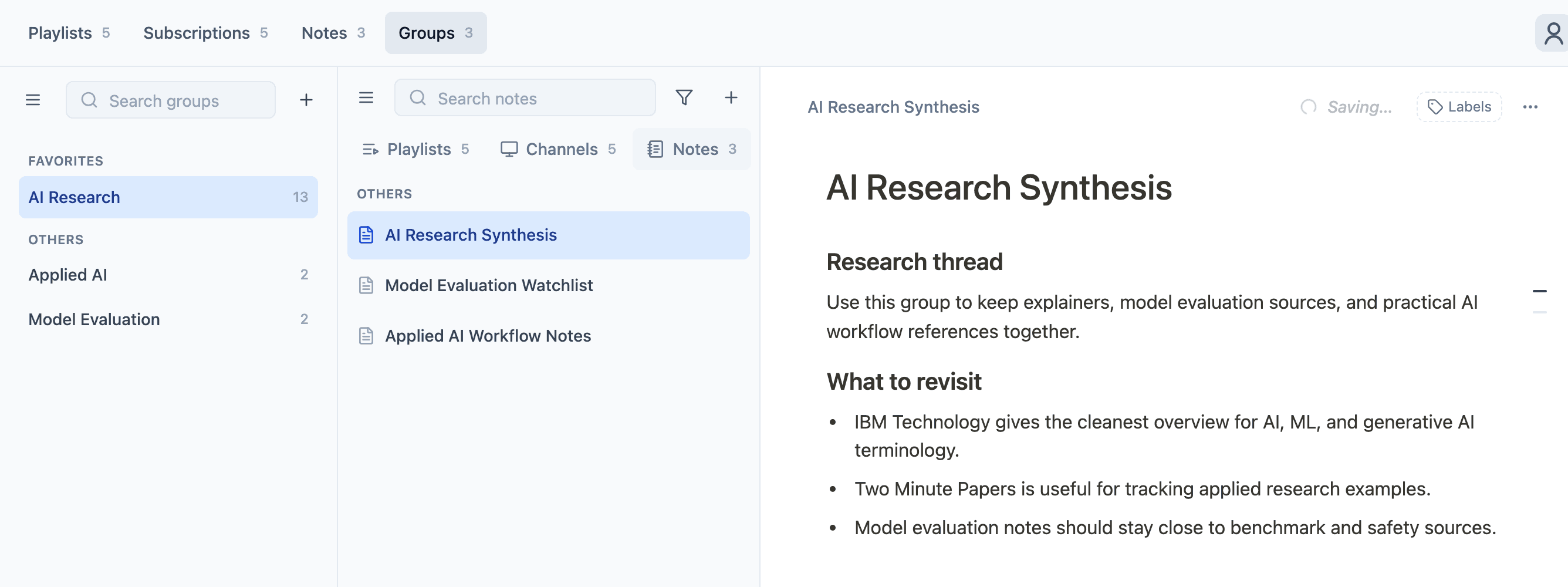
Research notes are easier to trust when the source collection is nearby. Keep synthesis, questions, and next steps in Notes connected to the group they came from.
- Capture research threads and follow-up questions
- Keep synthesis close to playlists and channels
- Make future retrieval feel like continuing, not restarting
Retrieval workflow
Come back to the topic without starting over
Groups make future research feel like continuing a thread, not rebuilding a tab pile from memory.
Create a group
Start a topic folder for a project, learning track, client, or research question.
Add sources
Bring related playlists and channels into the group as the topic takes shape.
Capture notes
Keep synthesis and follow-ups close to the source material.
Retrieve later
Return to one place when it is time to continue the work.
Use cases
Built for research that keeps expanding
Use a group whenever the topic has multiple source types and you know you will need to retrieve the context again.
Learning tracks
Keep course playlists, explainer channels, and study notes together.
Market research
Group product videos, competitor channels, and comparison notes by topic.
Creator research
Collect inspiration sources and planning notes around a specific content idea.
Team projects
Give shared research a clearer home before links and notes scatter.
Outcome
Less hunting. More continuity.
Research Groups reduce the distance between sources and synthesis. When playlists, channels, and notes live together, your library becomes easier to navigate as it grows.
FAQ
Research Groups questions
A few practical details about using groups as topic-based folders for YouTube research.
- Research Groups are built for related playlists, channels, and notes, so the sources and thinking behind a topic stay close together.
- No. A YouTube playlist is a video collection. A TubeFlow Research Group is a broader workspace for playlists, channels, and notes around a research topic.
- Yes. If a playlist or channel supports more than one topic, it can be assigned where that source is useful.
- Yes. The goal is to make it easier to come back to a topic later without searching across separate playlists, channels, and notes.
- No. Research Groups are the folder-like structure for keeping related research together. AI Suggestions can help with assignment, but groups themselves are a manual organization layer.
Start grouping
Keep your next research thread organized from the start
Use Research Groups to keep playlists, channels, and notes connected around the topics you care about.